Everywhere you’ve been,
lit up

1.3.0Settle-up and vlogs are here

Open your photos, and every trip you’ve taken lights up the globe, with a stamp for every city.
Plan the next one with friends, starting from one boarding pass.

Every feature is free. No account needed to start.
1-minute travel quizWhat kind of traveler are you?
Just open your photosEverywhere you’ve been lights up
A stamp for every cityYour passport fills as you go
One boarding passPlan the trip with friends
Phone and laptopSame account, same trip

A trip you took, or one you’re planning?

Onbit departures

Where you’ve been fills your passport.
Where you’re going gets a boarding pass.

More about the globe

Where you’ve been

Open your photos,
and the road behind you lights up

Do it once, and years of trips fall into place.
Your photos never move.
We read only the date and place, right on your phone.

How we handle your photos
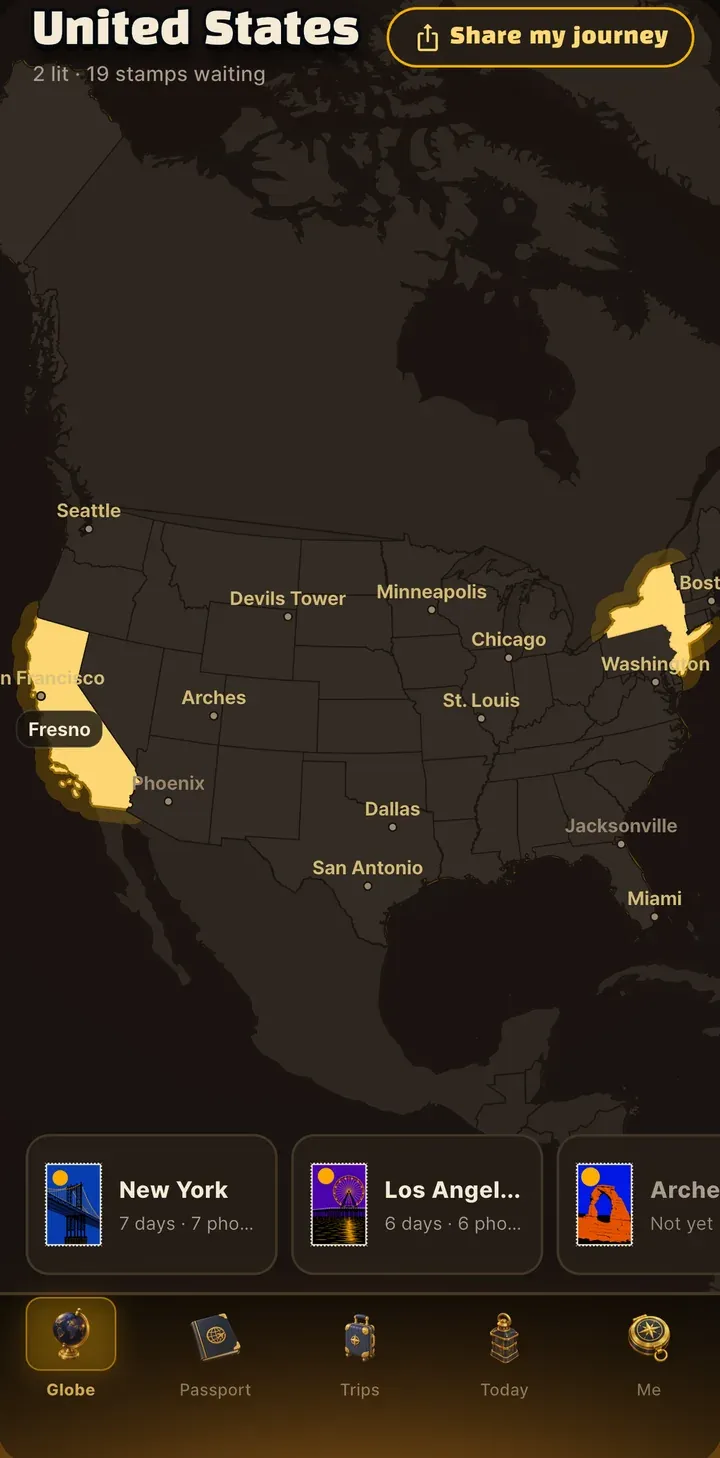
The Globe tab with visited places lit up
01 · Globe

Years of photos, lit up in one go

Do it once, and every trip you’ve taken lights up on the globe. New places light up as you go.

02 · Passport

One stamp for every city

Your passport fills up as you travel. Seoul, Tokyo, Paris: every city has its own illustrated stamp.

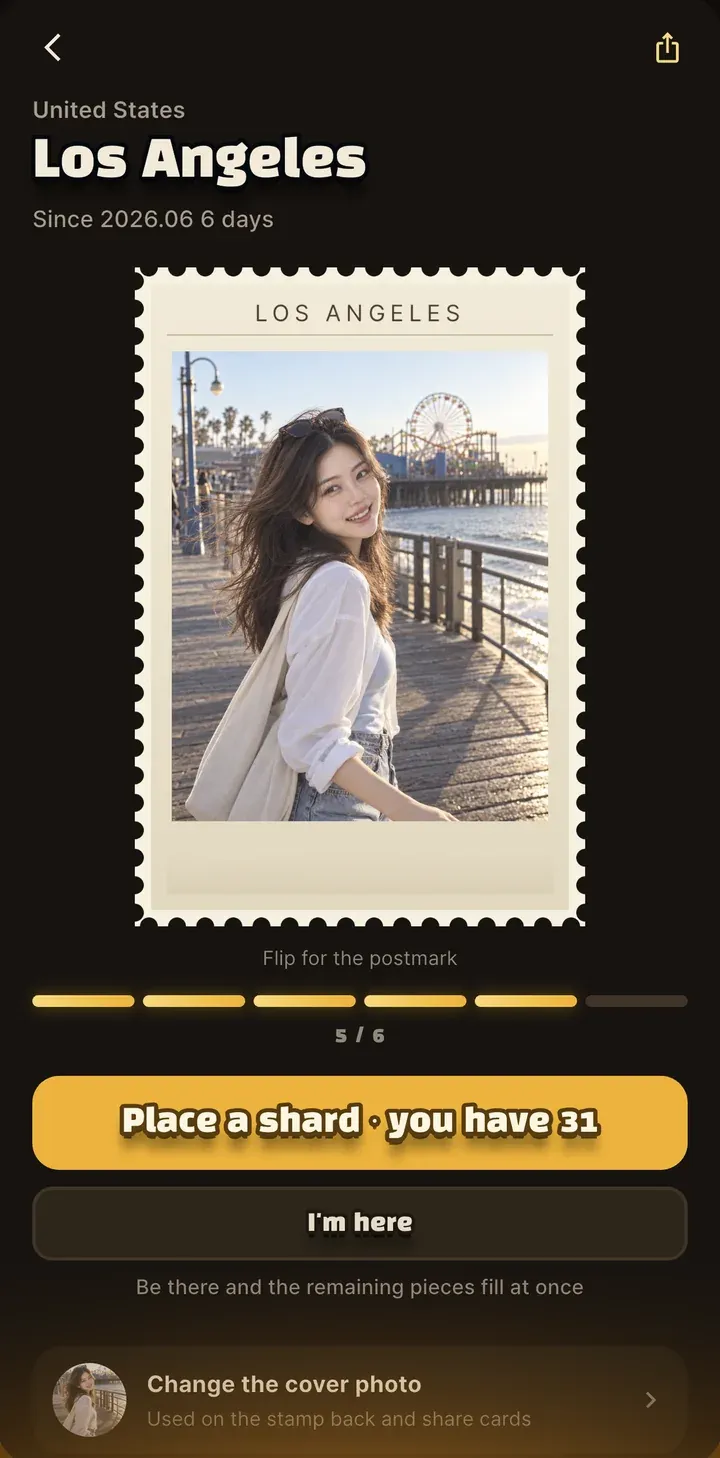
A chosen photo on the back of a stamp
03 · The back

Your favorite shot goes on the back

Pick a photo you love and the stamp flips over. It stays there with that day’s postmark.

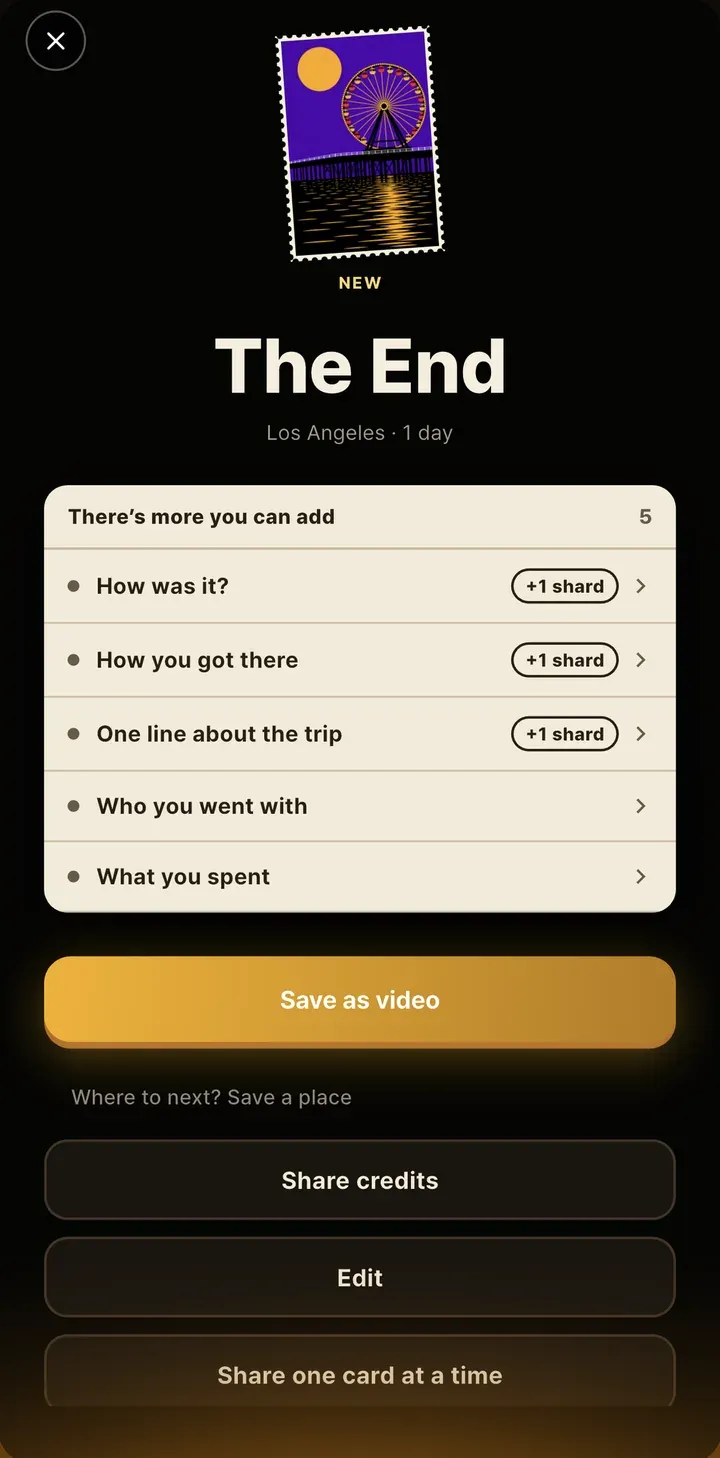
The ending credits screen of a trip
04 · Ending credits

When someone asks how it was, show them this

Every trip ends with rolling credits. Save them as a video and send them right away.

See it for yourself

Where to?
Your boarding pass comes first

Try an example
Plan on the webPlan the real trip in the app or on the web. One invite, and your friends are in.
getonbit.app
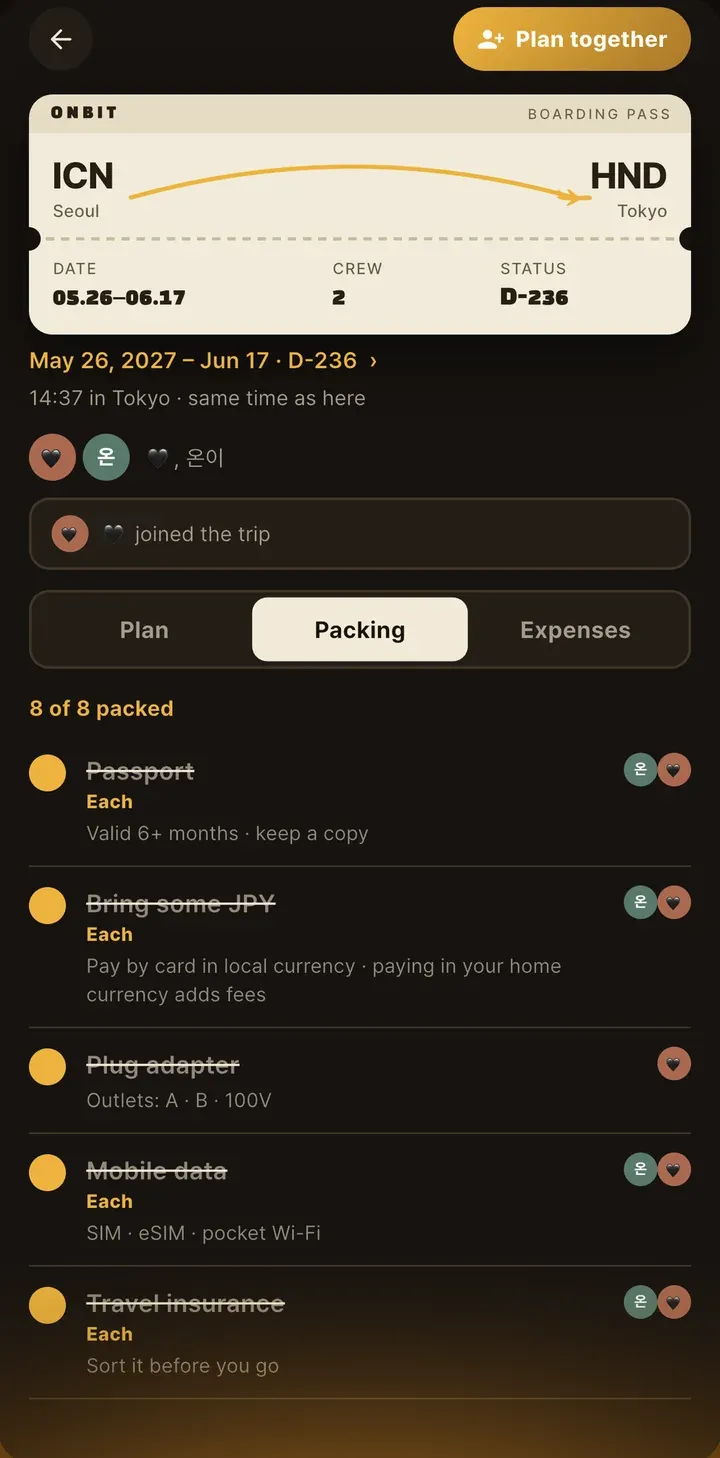
Your boarding pass is ready
ONBIT · BOARDING PASS
SeoulICNTokyoHND
Your next tripTokyo
Date
May 26, 2027 (Wed) – Jun 17, 2027 (Thu)
Length
23 days · 22 nights
Crew
온이 +1
D-185
Open the trip

Friends who get the invite join the trip from that same link.

Where you’re going

Plan it together,
and it all stays in one place

One invite and you’re planning together.
Everyone sees the plan, the packing list, and the spending, and any change shows up on everyone’s phone right away.

The “Who’s planning with you?” invite screen
NEW IN 1.3.0

Who owes whom,
at a glance

Just log what you spend, and the split adds itself up.
Split evenly, among a few people, by amount, or by receipt item.

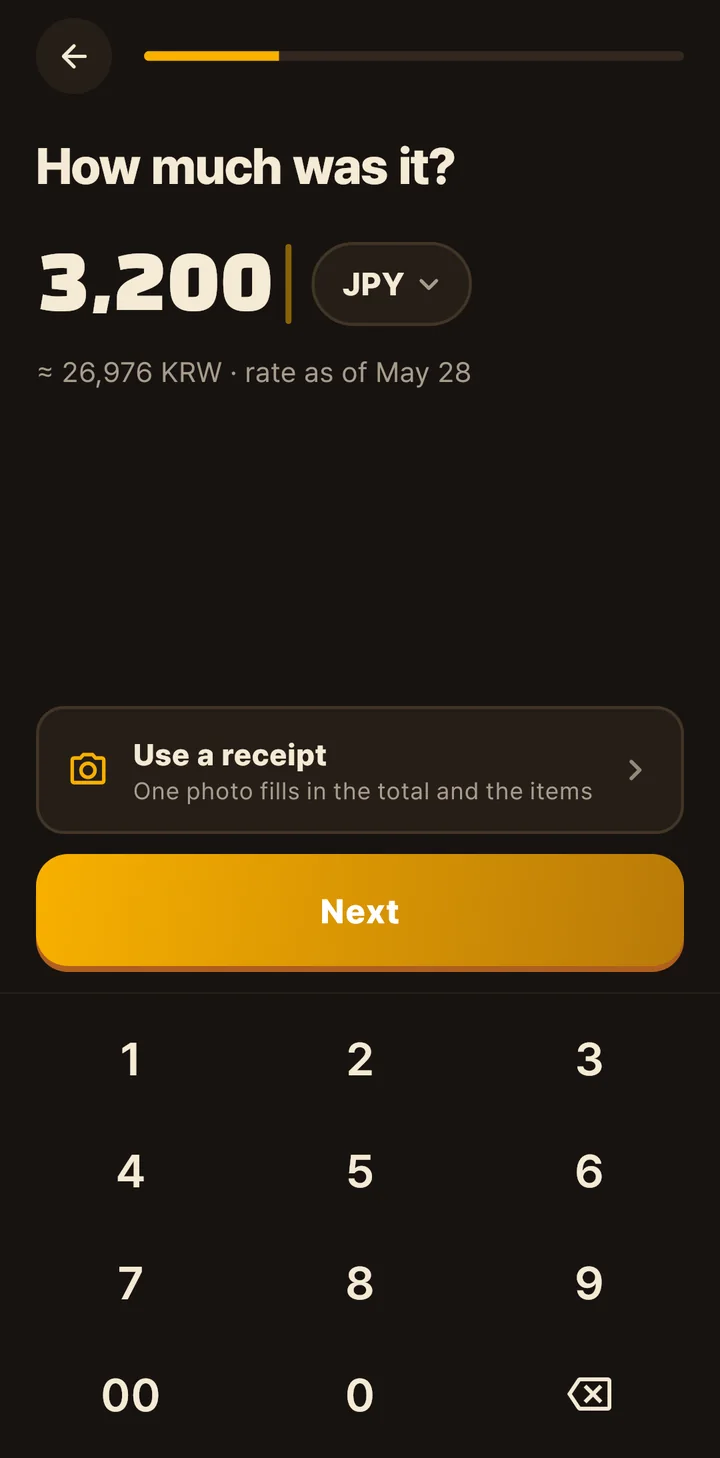
Typing ¥3,200 on the “How much was it?” screen
01 · Log it

A few taps, and it’s logged

One question per screen, typed on a keypad. Snap a receipt and the total and items fill in, with other currencies converted at that day’s rate.

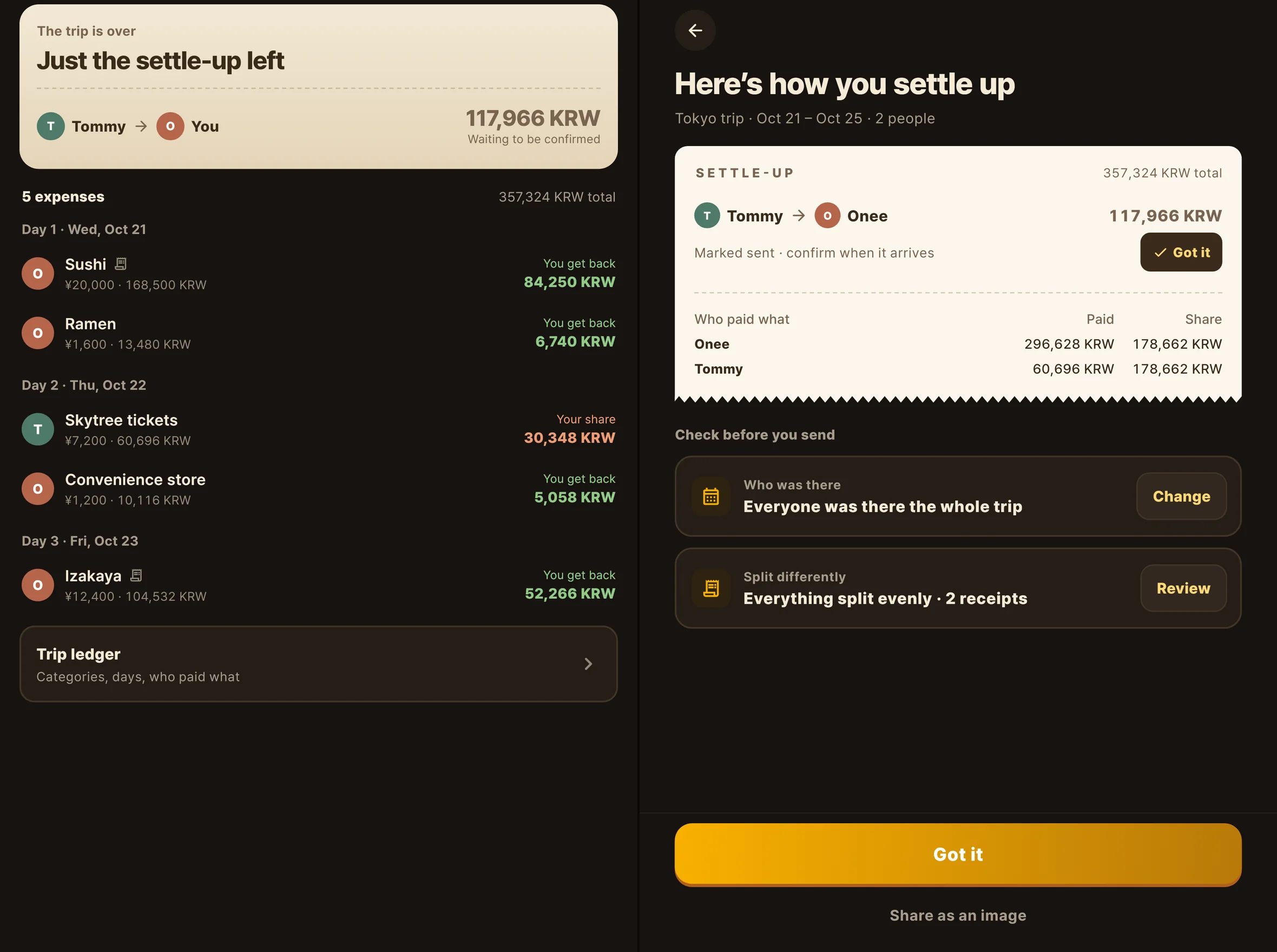
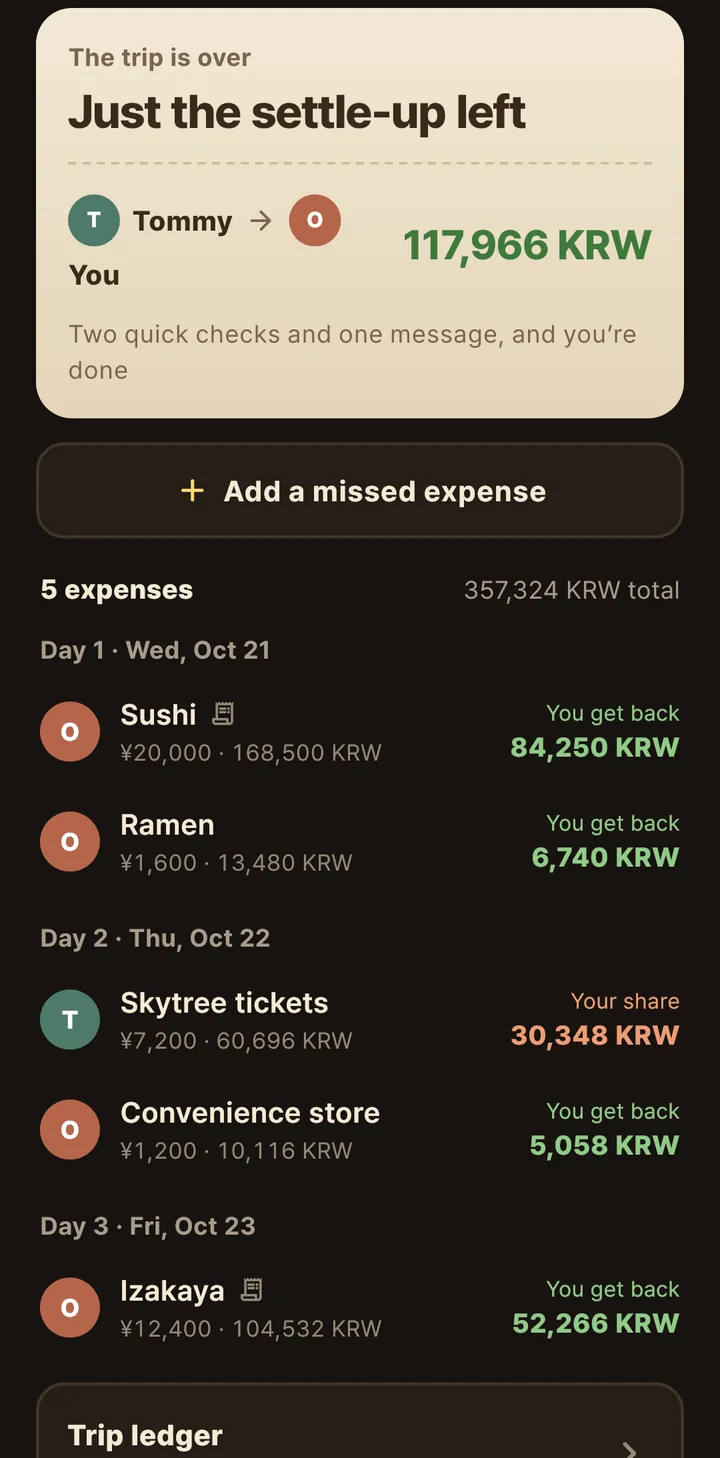
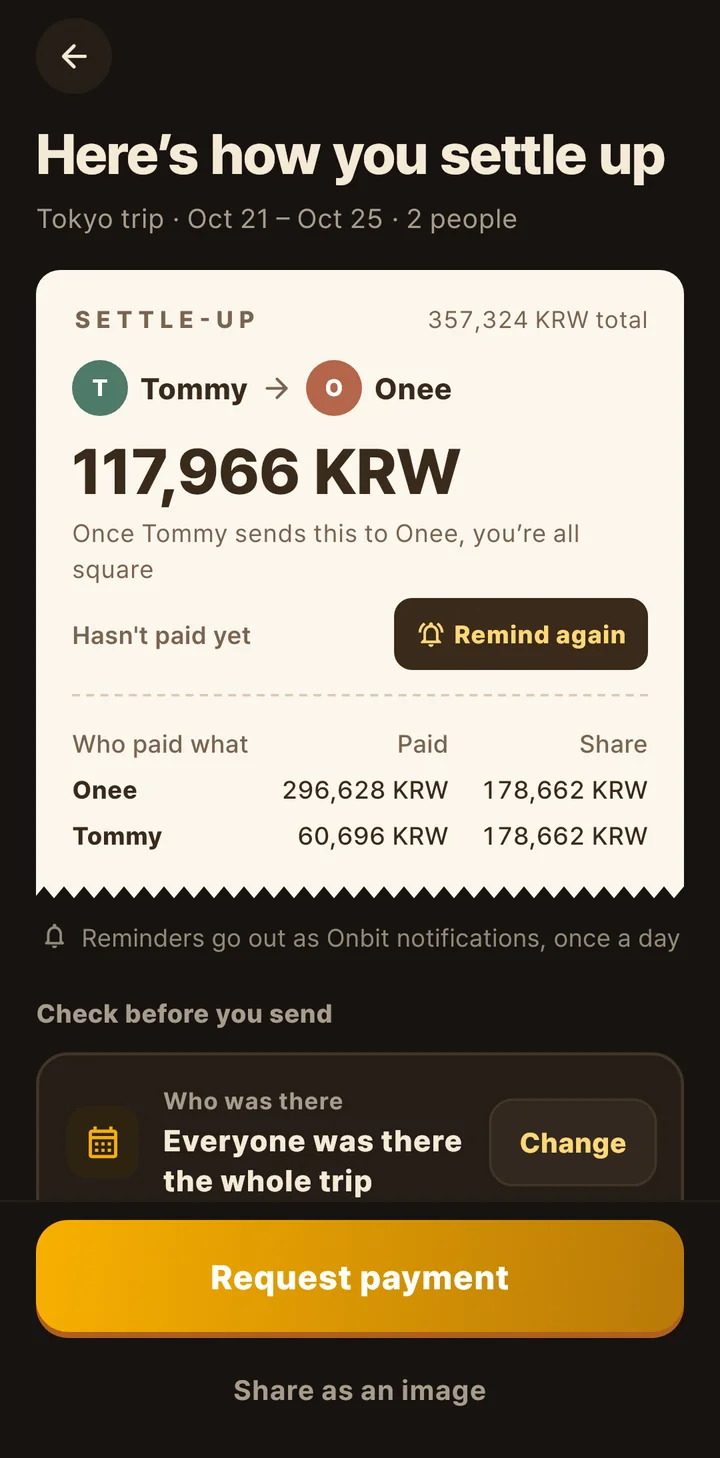
The settle-up slip showing Tommy owes Onee 117,966 KRW
02 · Settle up

Who owes whom, in one slip

The split adds itself up as you log. Check who was there and anything split differently, and you’re done.

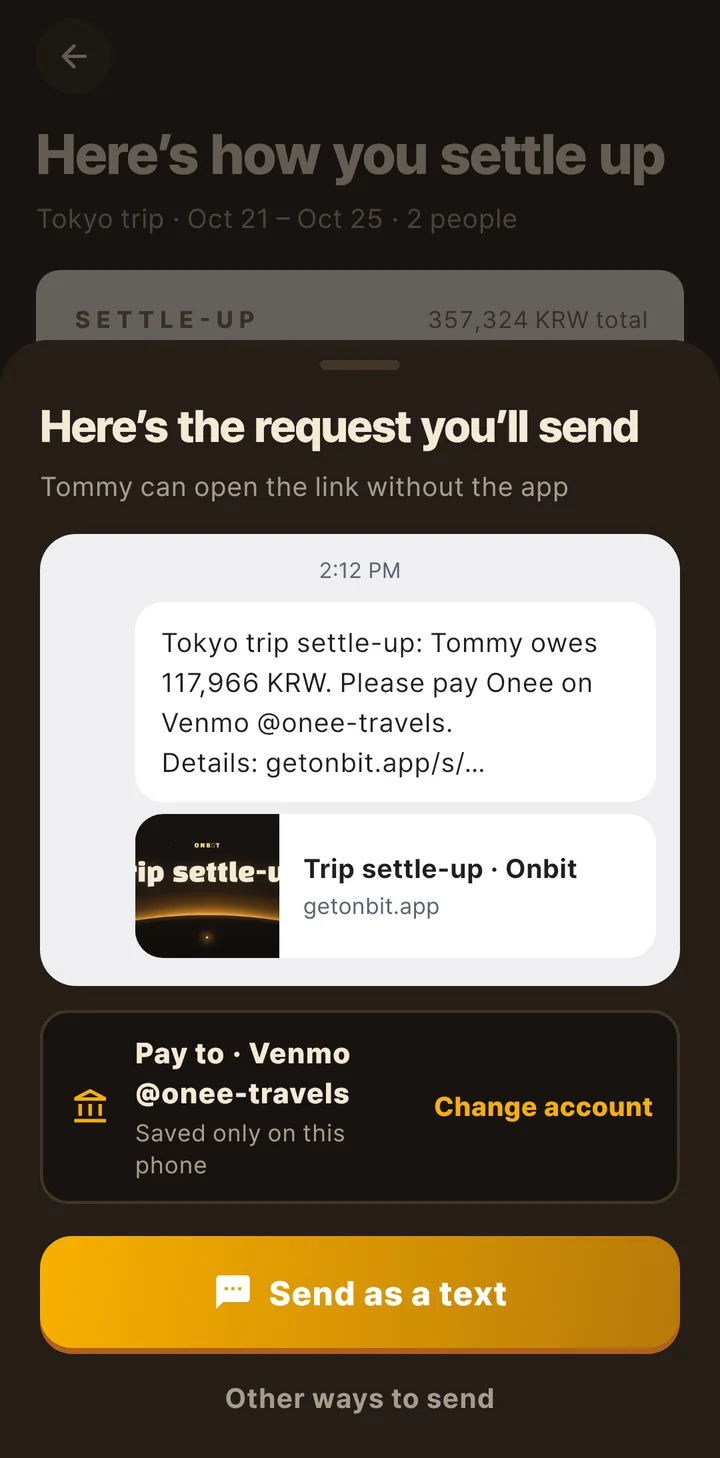
The send screen with the payment request message and where to pay
03 · Request

Payment requests, in one message

Friends open the link without the app. Your payment details stay on your phone.

The jobs someone always gets stuck with

All of this?
Onbit’s got it now

From planning to getting home, the stuff that always lands on one person.

“Can someone repost the plan?”

The plan lives on one pass

One invite and your friends are in.
Everyone sees the plan, the packing list, and the spending.

“Where’s that booking screenshot?”

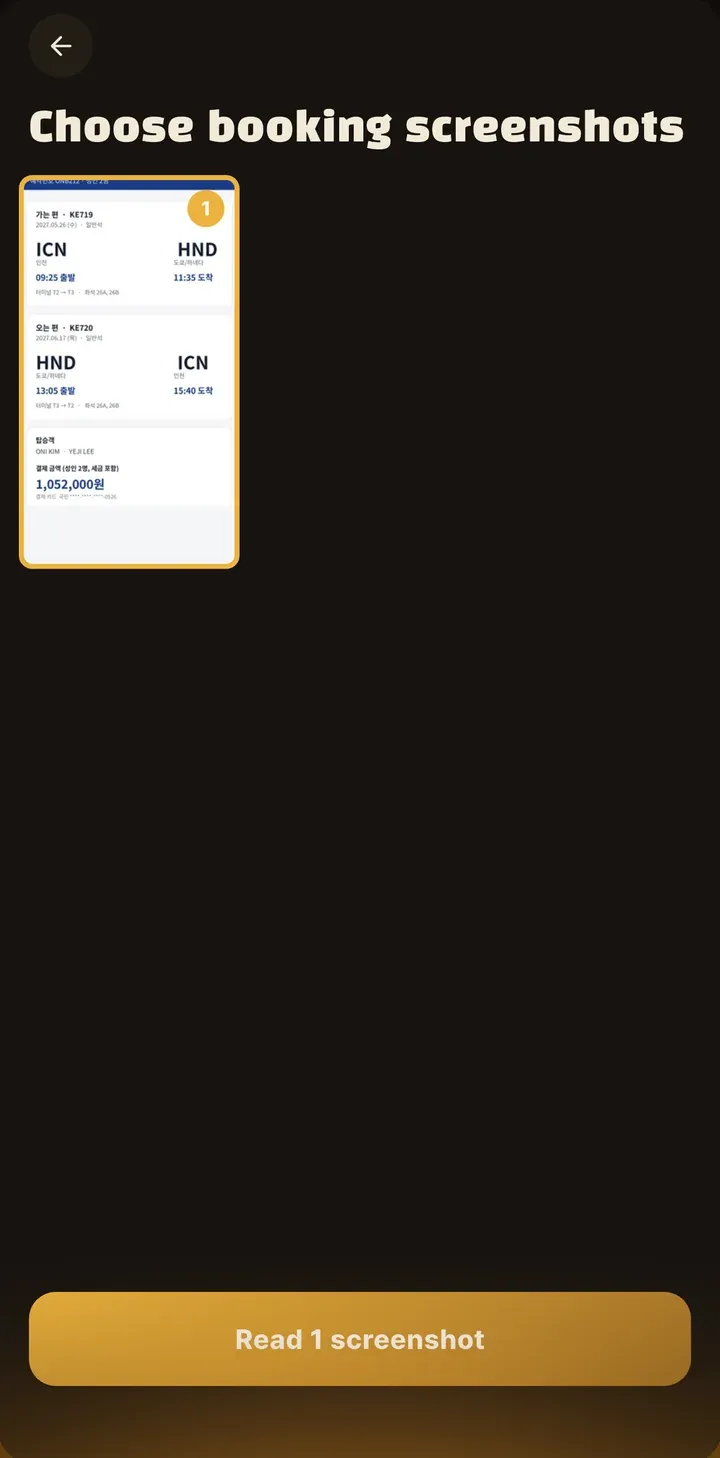
One screenshot sets it up

Pick a flight or train booking, and we read the city, dates, and flight to set up the trip.

“Wait, who paid for what?”

All settled up

Snap a receipt and the total fills in.
See who owes whom right away, and send the request in one message.

“Is anyone bringing a charger?”

Packing, split up

Things everyone packs, and things only one person needs to bring.
You can see who’s got what.

“Where are the photos from that trip?”

Every trip, on the globe

Open your photos, and everywhere you’ve been lights up, with a stamp for every city.

“How was it?” and 100 photos to swipe through

One roll of ending credits

Every trip ends with rolling credits.
Save them as a video and send them right away.

From before you leave
to after you’re back

We followed one trip from start to finish.

온이 smiling in the courtyard of Gyeongbokgung Palace in Seoul
Before you goStart with one screenshot
  • Pick a booking screenshot, and the city, dates, and flight fill in
  • One invite brings your friends in
  • Everyone packs their own. One person brings the adapter.
More about planning
NEW IN 1.3.0

Come home from a trip,
and your vlog is waiting

Onbit stitches the videos from your trip into one vlog, two seconds a clip, in the order you shot them. There’s no “create” button. Clips your travel buddies add land in the same vlog.

Two seconds eachIn the order you shot them
Skip any clipTap it and it’s out
Save itThen post to Reels or Stories
Scan it with your phoneOn a laptop? Point your phone’s camera at this QR code to get the app.

On your laptop, too

Plan on your laptop,
travel with your phone

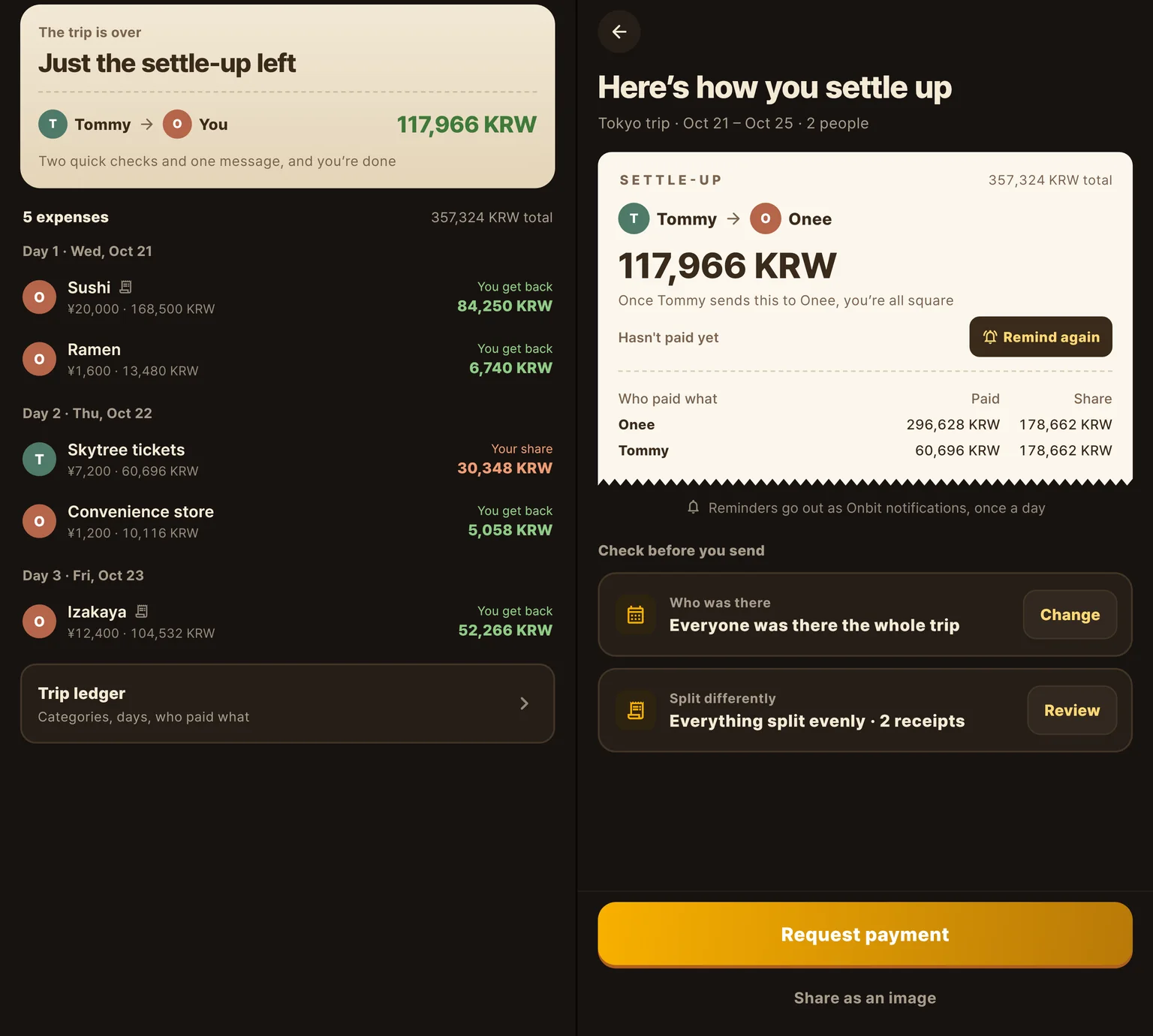
Log in with the same account you use in the app, and Onbit opens on your laptop just like on your phone.
Changes to the plan and spending show up on your phone and your friends’ phones right away.

The web app’s settle-up screen on a laptop: five expenses on the left, and on the right the slip showing Tommy owes Onee 117,966 KRW.

Onbit on YouTube

Ever wondered why?
Here’s the short answer

Why are airplane windows round? Short videos about the little things you notice when you travel.

Onbit: Travel Map & Planner@getonbitSubscribe

How we handle your photos

Your photos stay on your phone.
We read only the date and place.

$0Every feature is free right now
0 adsAnywhere in the app
2 thingsThe date and place are all we read

On your phone

We read just the date and location stored in each photo (its EXIF data) and turn it into the city you were in. We never move or edit your photos.

Only when you turn it on or pick it

  • One cover photo per city (when you link an account)
  • Receipt photos in a shared trip
  • 2-second clips you pick with “Add my clips”
  • Booking screenshots, read and then discarded

What we never do

  • No ads
  • We never sell your data
  • No face recognition
  • Your photos never train AI

Your globe lights up in the phone app

Lighting up the globe from your photos happens on your phone. It works on iPhone and Android, in English and Korean.

The app is free. No account needed to start.Point your phone’s camera here to install

Download on the App StoreGet it on Google Play

Read how we handle your photos

All of this is free, too

Everything around a trip,
in one app

Every feature in the app is free right now, with no ads.

From one booking screenshotPick a flight or train booking, and we read the city, dates, and flight to set up your trip.
Vote on places together1.3.0Tap the places you want to go together, and see the weather, public holidays and travel advisories at a glance.
Settle up1.3.0A few taps per expense, one photo per receipt. See who owes whom right away.
Travelers who’ve been thereSee how long other travelers stayed in a city and where they went next, in numbers.
Share a past trip’s route1.3.0Show a past trip’s route to friends or to everyone. Photos, notes and spending never go out.
Share your passportOnly friends you’ve connected with an invite code can see the cities you’ve been to.
A calendar filled with photosThe photos you took fill in the days. See where you were a year ago today.
A postcard every dayA photo from a past trip arrives every day, like a postcard.
Foldables and iPad, tooUnfold your phone and the passport opens to two pages. Nothing gets cut off on any screen.

1-minute quiz

What kind of
traveler are you?

Find out why you always argue on trips. Ten questions, one minute, no sign-up.

Questions

Is it really free?

Yes. Every feature in the app is free right now, and there are no ads. If we ever add paid features, we’ll update our terms and let you know first.

Do I need an account?

No. The globe, passport, stamps, calendar, and trip planning all work without signing up. On the web, log in with the Apple or Google account you linked in the app, or scan the QR code on the web with the app.

Are my photos uploaded?

Nothing from your photo library leaves your phone unless you pick it. We read only the date and place, right on your phone. Only what you choose (a city cover photo, a receipt, a 2-second clip) is uploaded, and you can see and delete it under “Your data on our server” in the Me tab.

How do I make a vlog?

You don’t have to. If you shot at least three videos during the trip, a vlog is already waiting. Skip any clip you don’t want, add a line, and save it to your photos.

Do my friends need the app to see a payment request?

No. They open the link in the message and see who owes whom, with no sign-in. The link shows only names and amounts, and it closes after 30 days.

What can I do on the web?

Onbit opens on your laptop just like on your phone. View and edit the plan, packing list, expenses and settle-up, and changes show up in the app right away. Lighting up your globe from photos, receipt photos, and vlog and ending-credits videos happen in the phone app.

Does it work on iPhone and Android?

Yes. Get it on the App Store or Google Play. Onbit is available in English and Korean.

How do I delete my data?

Go to Me > Account > Delete account, and your records and photos on our server are erased right away. If you never linked an account, tap “Delete my records from the server.”


Still curious? Email us

Your next trip
starts with one boarding pass

Plan on your laptop, then pick it up in the app on the road.
Same account, same trip.